
California MPN Search

Locate approved doctors, specialists, clinics and hospitals within our California network.

Instructions

To access the California BBSI or Ace American/BBSI MPN provider directories, click the “Begin MPN Search” button above. The directory will open in a new window with the CorVel website to complete the search.

Note: If you are injured and require emergency medical care, please call 911. For less urgent needs, consider calling the Nurse Line. 

Step 1

Login to the BBSI / CorVel Provider Lookup via CareMC:

1. Click here to access CorVel's Provider Lookup

2. On the Provider Lookup screen, navigate to the Login section

3. Type "BBSI" into the Login field

4. Click "Login"
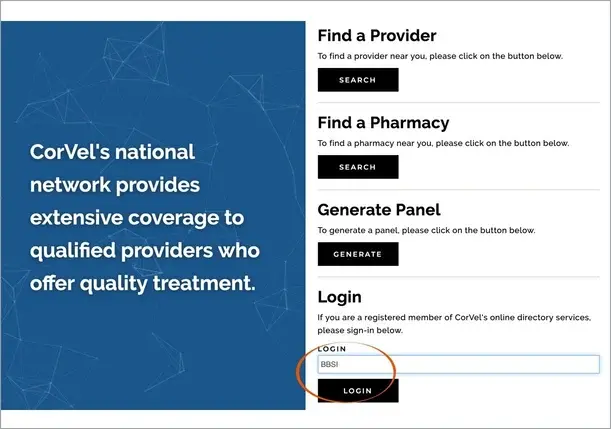
MPN Step 1

Step 2

Enter your search criteria to locate a preferred provider:

1. Enter your location and search radius

2. Choose if you want to find a provider or a facility

3. Filter by provider/facility specialty and/or service

4. Click "Find providers that meet the search criteria" to begin your search

Note: You may only search for providers in the California BBSI or Ace American/BBSI MPN.
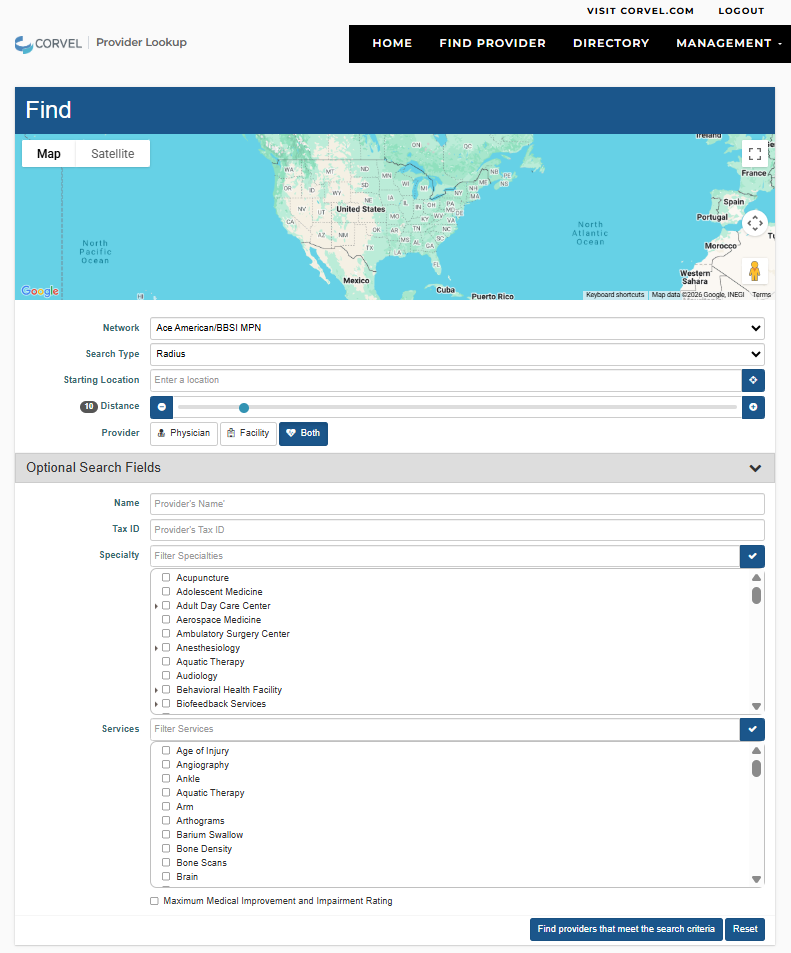
MPN Step 2

Step 3

Scan the search results to locate and contact providers:

Results will include physician names, facility information, address, proximity, phone number, driving directions, and a map of the location.
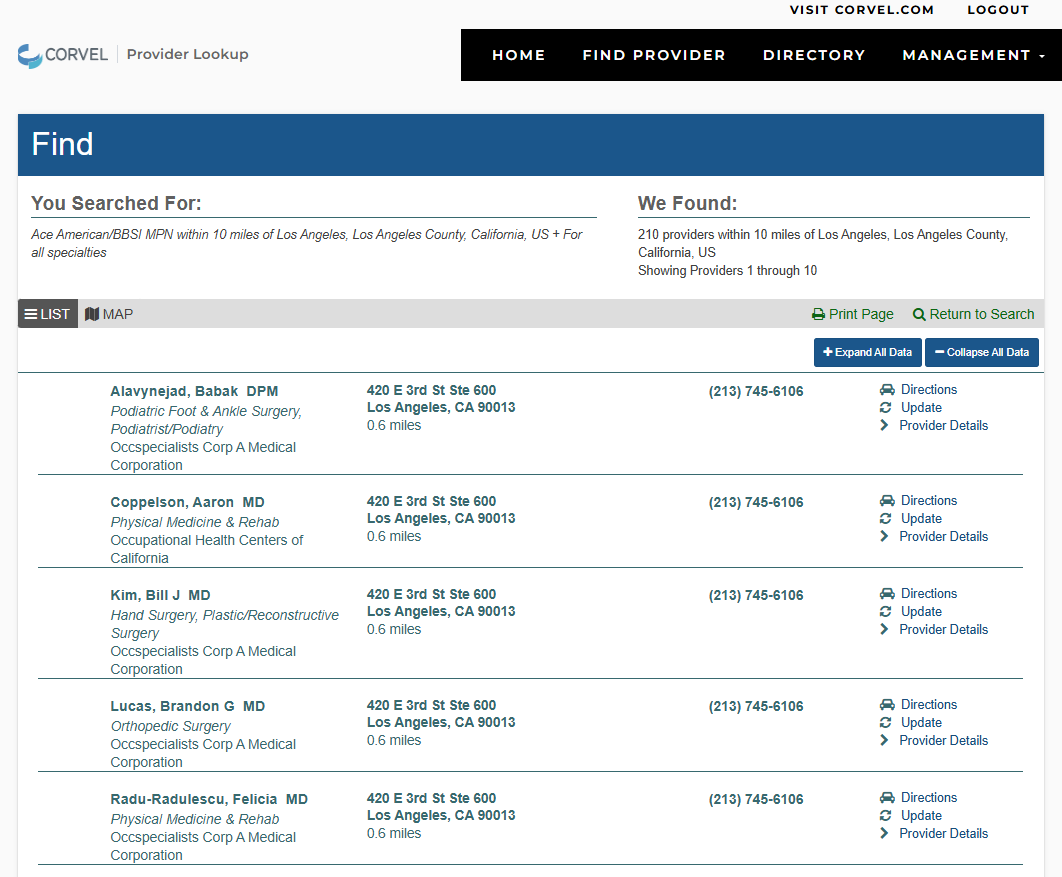

MPN Search Step 3

If you have any MPN questions, please call the CorVel MPN Assistant at 855-857-7556.

Disclaimer: CorVel Corporation maintains the California BBSI and Ace American/BBSI Medical Provider Network database website. You are not conducting a search for providers in the CorVel MPN.